Category: Blog

Your blog category

  • Python Editor Tab

    Python Editor Tab

    Python Editor Tab
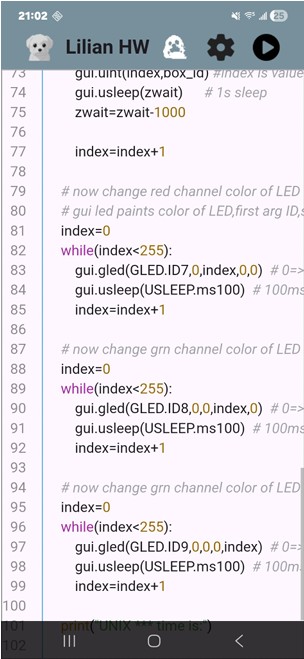
    This tab enables users to write and edit code directly on their device. An upcoming feature will allow users to remotely deploy code to the Android system using a Microsoft Code plugin.

    Python Library with supported sensors
    The third page of the Android app features a collection of source code libraries that include Python scripts designed to support the interfaces of the highlighted sensors. Because the Lilian app works with I2C, SPI, and UART communication protocols, analog sensors are not directly supported. However, if I2C- or SPI based ADC chips are available, please let us know so we can add them to the
    supported library collection. Using the provided sensor interface examples, users can develop Python code to connect and communicate with their own custom sensor devices
  • Lilian Board PCB

    Lilian Board PCB

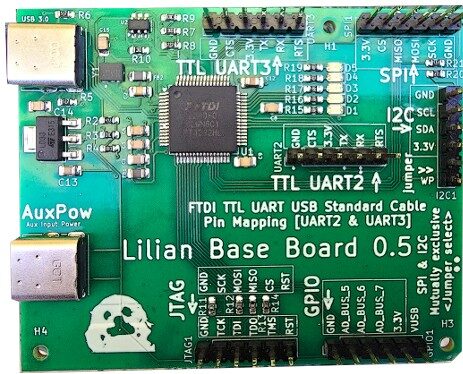
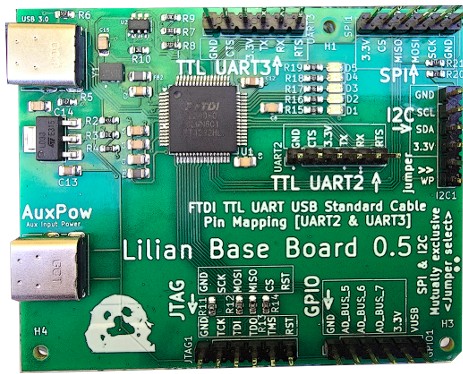
    What is Lilian board ?


    The Lilian board’s role is to acts as a bridge between an Android device and external sensors, facilitating communication through I2C, SPI, UART, or GPIO protocols over a high-speed USB connection. This all-in-one Lilian board solution is built for simplicity and completeness. Essentially, it needs only following three primary components to function and communicate with electronic sensors of choice:
    a. The electronic sensor (for example, a temperature or humidity sensor) with wiring to connect it to the board
    b. The Lilian hardware board
    c. An Android device with Lilian app installed.


    We will use the I2C protocol as our baseline example for two main reasons. First, it is the most sensor supports i2c communication standard and second, it offers simple and easy interconnection.


    The I2Cprotocol facilitates communication between two entities: a master and a slave. The master controls all data transactions, while the slave responds according to the I2C specification. In this configuration, the Lilian board operates as the I2C master, and a Python script embedded within the Android application orchestrates the I2C operation sequence.